






Locate the missing step
A successful sign-in proves a connection exists. It does not prove the assistant has trading tools, an eligible account, available buying power or a scheduled job. Check those in order.
Before retrying a trade, inspect the broker’s open orders and recent fills. A timeout can happen after an order was accepted. Sending it again could create a second order.
Work through this checklist
- Read the account
Ask for the current account and holdings. If this fails, repair authentication first. In Agency, open the broker alert under Connections and choose Reconnect.
- Check the trading account and tools
Reading a balance is not permission to trade it. Robinhood external agents need the eligible Agentic account. If an assistant declines an action, follow its supported approval flow or use the broker directly.
- Check available money
Compare buying power with the proposed order, including money reserved for open buys. In Agency, a funded agent can use its assigned cash and holdings, not everything visible in the account.
- Inspect the proposed order
Check symbol, quantity, order type, session and expiry. Agency supports stocks and ETFs, not options or crypto. Its Public connection does not support stop or good-till-cancelled orders.
- Read the actual status
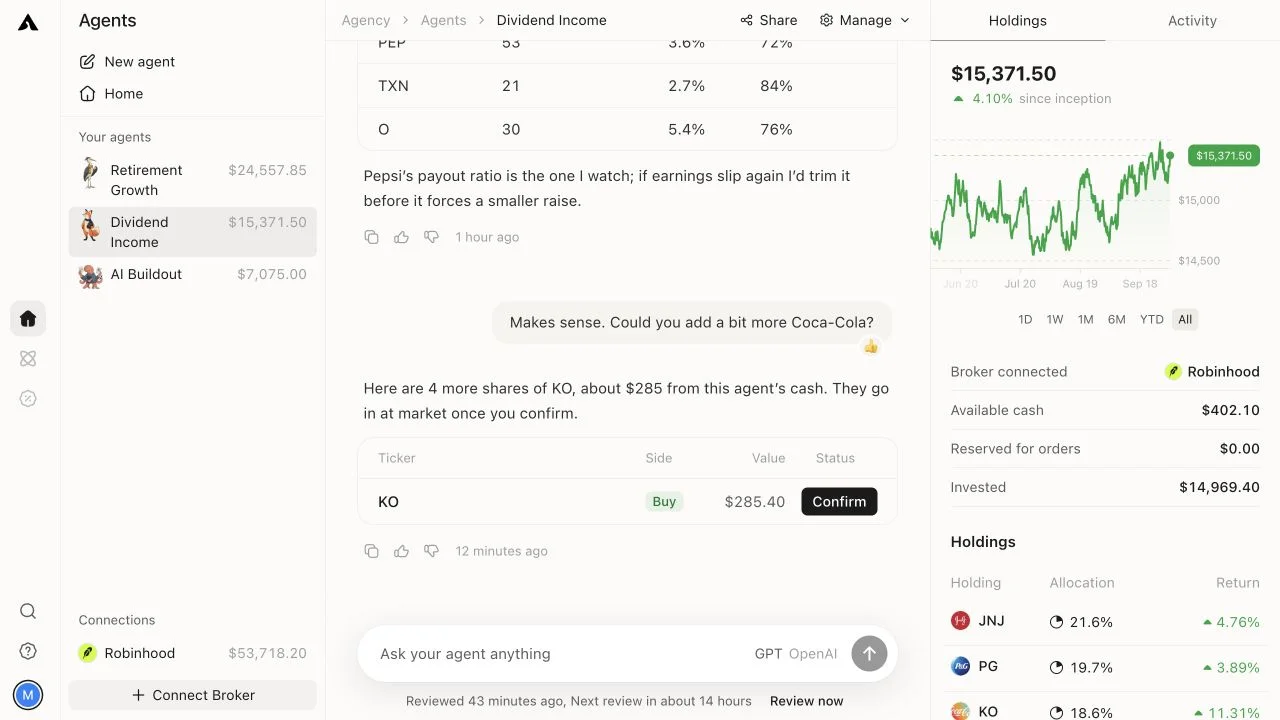
Proposed, accepted, partially filled, filled and rejected are different states. Agency chat orders wait for Confirm. An accepted limit order may never fill, and stock orders outside regular hours wait for the next session.
- Check the runner
For Agency, check the agent’s schedule and pause state. A first look is not an active, funded agent. A completed review can also correctly decide to do nothing.
If you need support
Keep the time, ticker, order status and exact error. Redact account numbers and credentials. Ask the broker about rejected or missing orders; ask the AI provider about unavailable tools; ask Agency about its connection or review status.
For background jobs, see what runs when your computer is off.