






Connect the account
Agency currently connects Robinhood, Public, E*Trade and Wealthsimple. Robinhood uses its Agentic account; the others use the brokerage account you authorize, and E*Trade and Wealthsimple trade in whole shares. Have the account ready at your broker before assigning money to an agent.
- Sign in to Agency
Use Google or the code sent to your email. You can ask research questions before creating an agent.
- Connect your broker
Choose Connect Broker under Connections. Pick the broker and complete its sign-in and authorization through SnapTrade. Confirm the account shown when you return.
- Check the available cash
Compare Agency with your broker. Deposits happen at the broker, not inside Agency. Keep money you do not want managed outside the agent’s allocation.
Describe the job
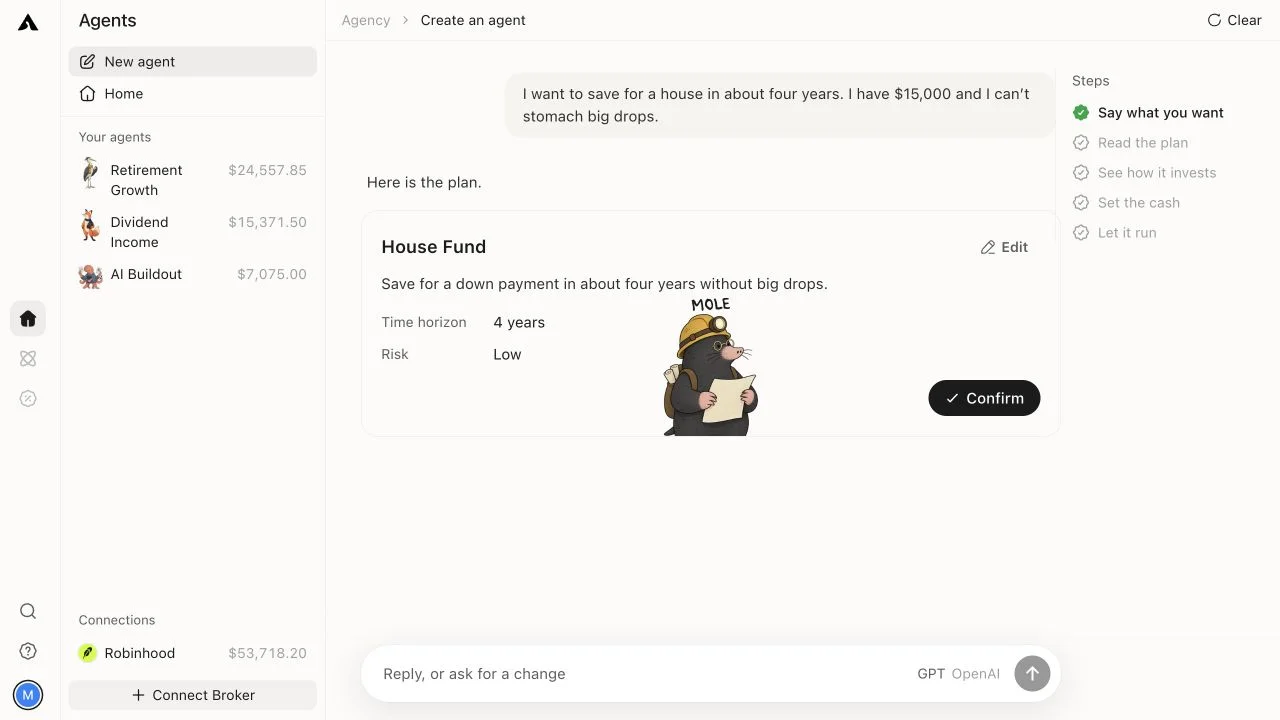
Choose New agent. Explain the goal, time horizon, permitted investments and review frequency. Read the drafted plan and edit it before confirming. A loss tolerance describes your preferences; it is not a guaranteed loss cap.
Read the first look
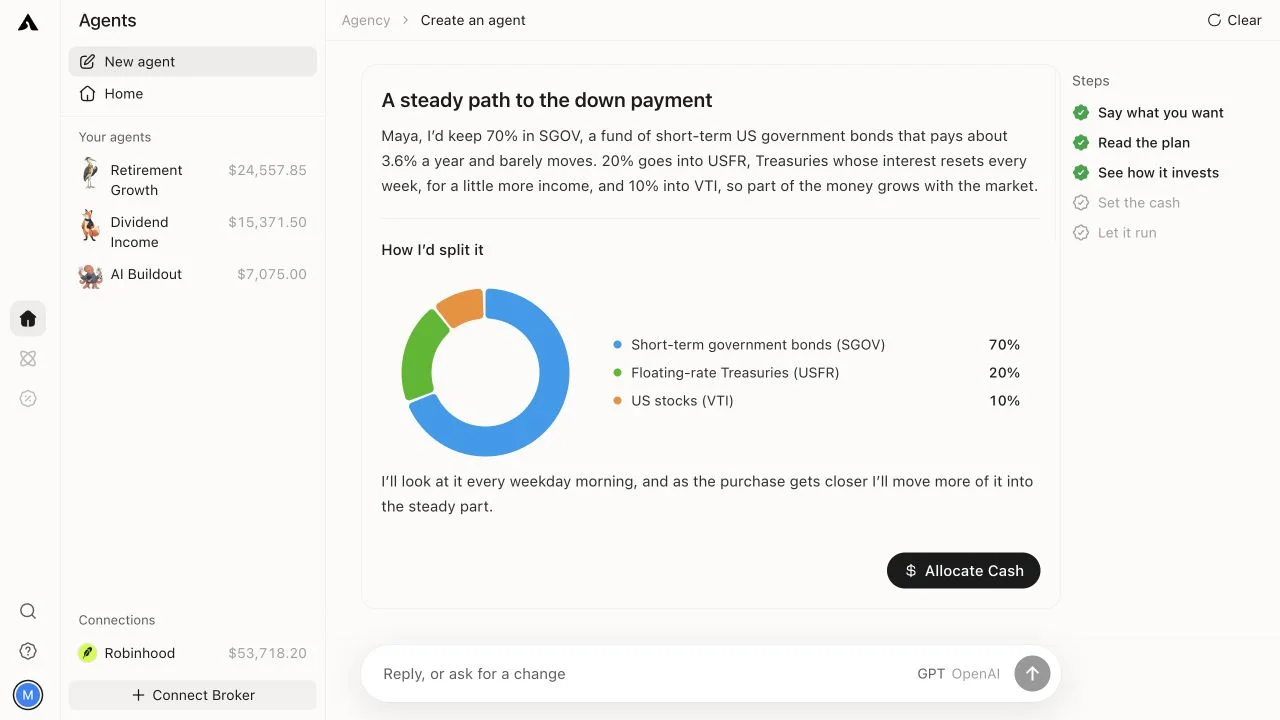
The agent researches the plan and proposes a percentage allocation with reasons. This usually takes two to three minutes. Nothing is bought yet.
Check the holdings and weights against your instructions. Ask for revisions before funding if they do not fit. A first look shows a proposal; it does not simulate returns.
Assign money and review the first activity
Use the funding card to assign cash, holdings or both. The minimum is $10. If the card shows a queue position, funding is not yet available for your account.
Once funded, an agent can trade its allocation at scheduled reviews without your approval of every order. Check its initial activity and the broker’s fills. Trades you request separately through chat wait for Confirm.
Read the pause and order controls before leaving it running.